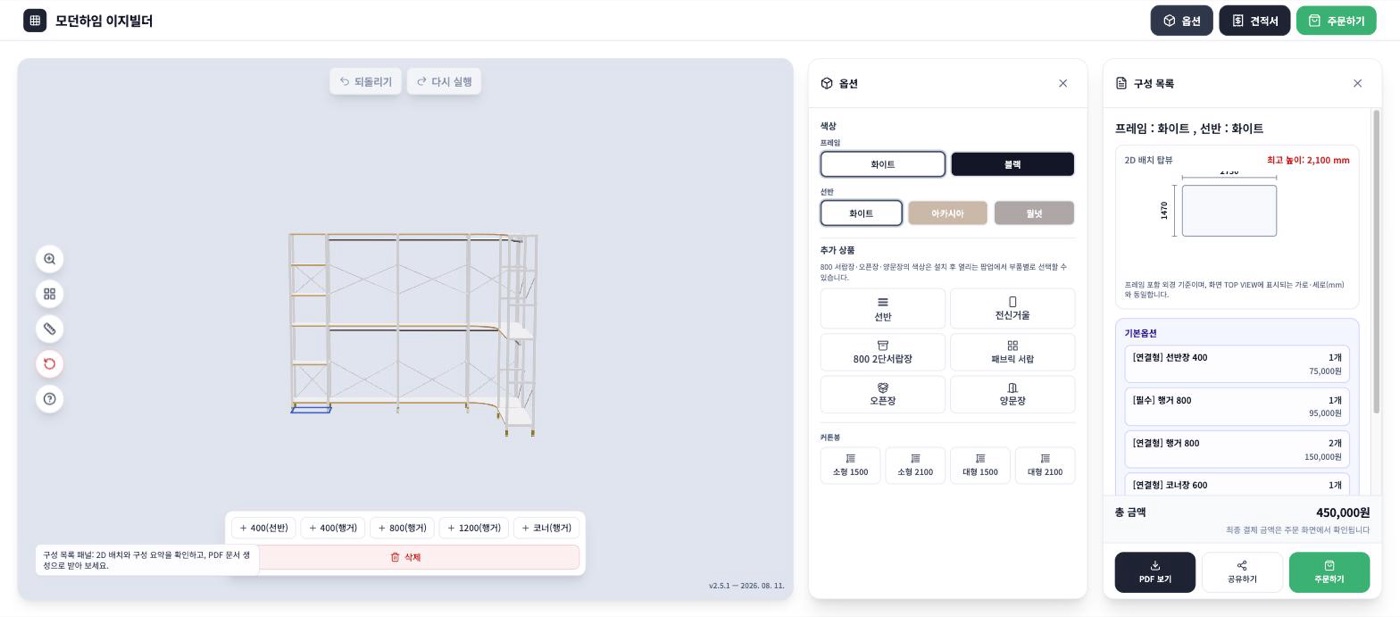
② Designing — Connect units to fit your room
Connecting units
Add units one at a time with the buttons below the screen. The number is the unit's width in mm.
- 400 (shelf) — a narrow shelf for folded clothes and accessories
- 400 / 800 / 1200 (hanging) — units for hanging clothes. Pick the width by how much you hang
- Corner (hanging) — wraps around a wall corner to join two walls
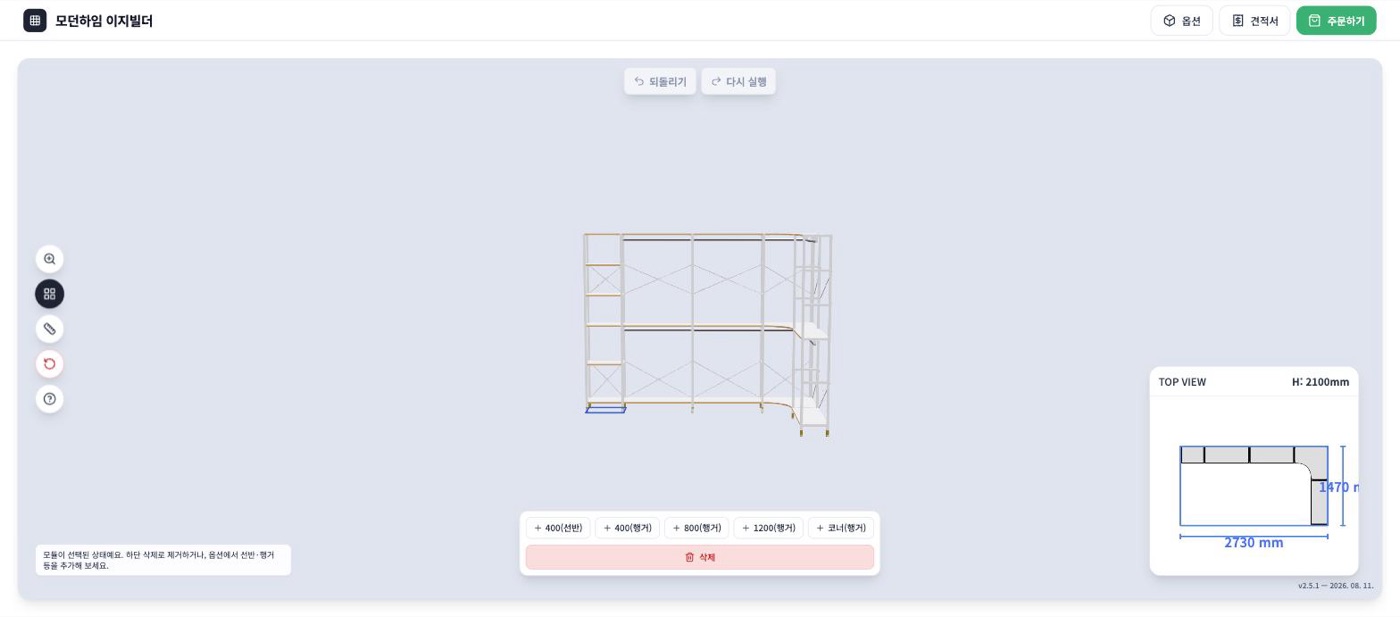
💡 Compare TOP VIEW's width and depth against your room measurements. To fit flush against a wall, also account for door frames and baseboards.
Deleting & undo
Click a unit to select it and remove it with Delete below. Use Undo / Redo at the top to cancel or recover your last action.
Choosing add-ons
Under Options at the top, pick add-ons along with your colors.
- Shelf · W800 2-tier drawers · Fabric drawers · Open unit · Double-door unit — choose your storage type
- Full-length mirror — often paired with walk-in closet layouts
- Curtain rod (small 1500 · 2100 / large 1500 · 2100) — hides the front for a tidy look