① Getting Started — Pick colors and how to begin
Open mh.sangdogagu.kr and the start window appears. First pick your colors, then choose free mode or a recommended template to begin.
Choosing colors
- Frame — White / Black
- Shelves — White / Acacia / Walnut
You can change colors anytime later under Options, so pick freely.
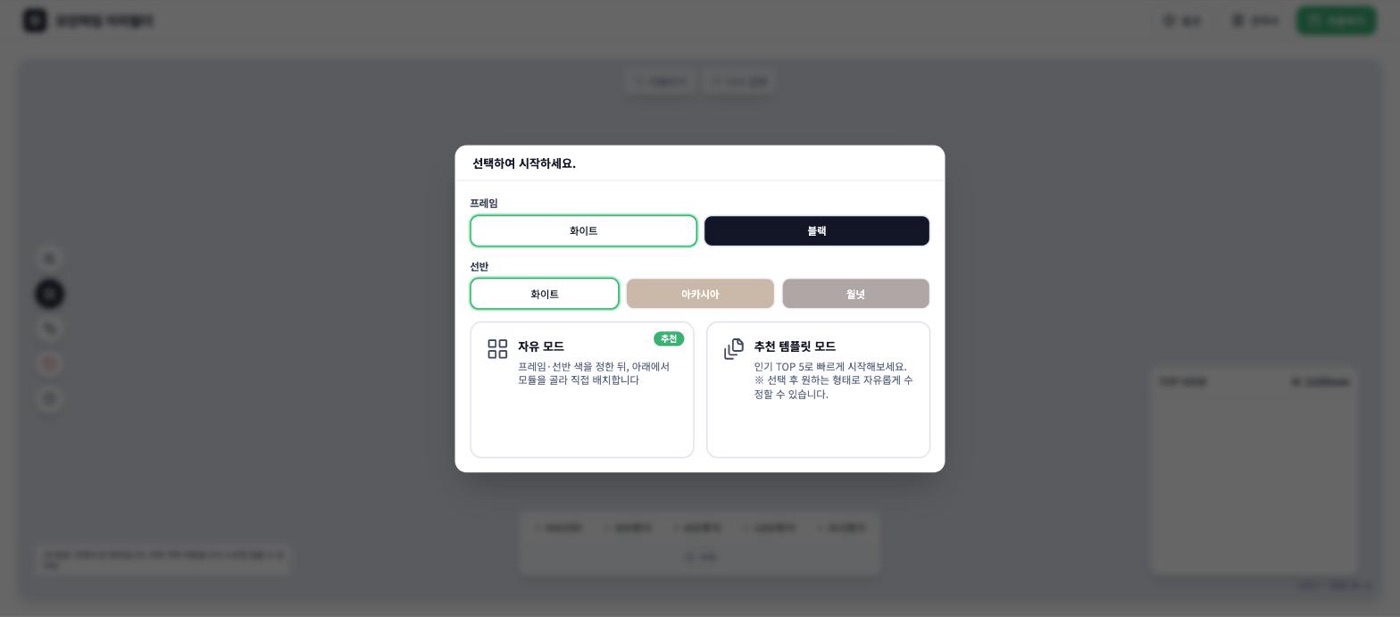
Free mode
Start on a blank canvas and add the units you want one at a time with the buttons below. Best when you want to build the layout yourself.
Recommended template mode
Swipe through five popular layouts shown as pictures. Each comes with a use-case note — for example, "W3400 corner hanging unit — a large walk-in closet for storing lots of clothes" — so it's easy to find one that fits your situation. You can freely edit it after picking.
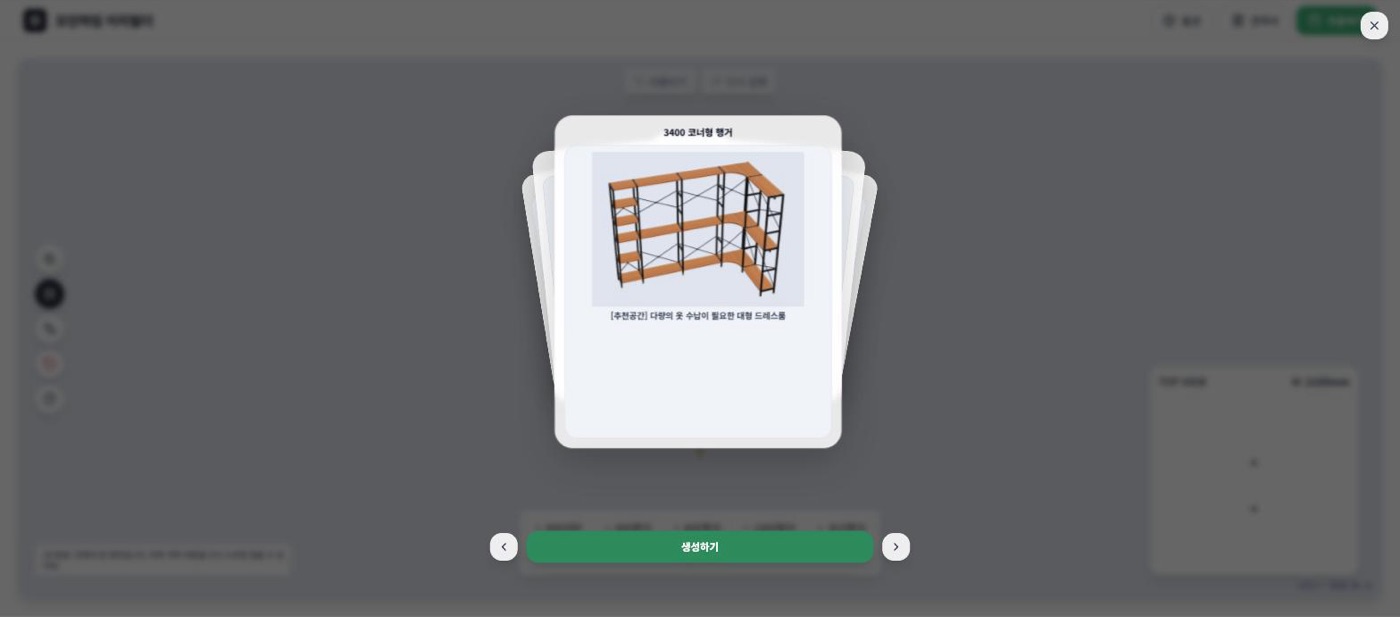
💡 If it's your first time, starting from a template and just adjusting the number of units to your room is the fastest path.